1. Remove Miura from the cradle by unlocking with an Allen Key
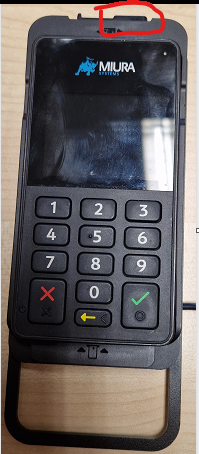
3-4 turns clockwise should allow it to slide
(see image to the right)
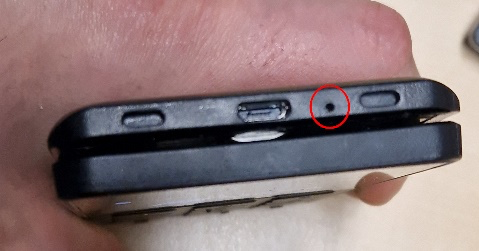
2. Reset the device by insertng a paper-clip into the pinhole at the top to press the Revive button.(see image below)
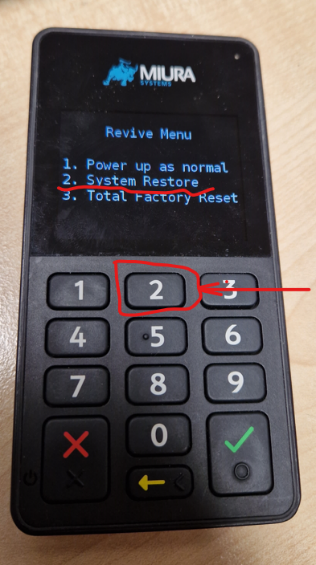
3. Choose System Restore (Top image) in the Revive Menu (Bottom image) press the green Tick to confirm.
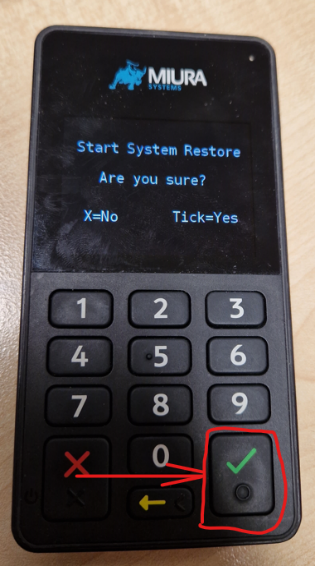
4. Miura will reboot, and if successful, proceed to the next step.
5. Reseat the device by placing it back into the cradle, once locked in place, insert
turn anti-clockwise 3-4 times to lock into place.
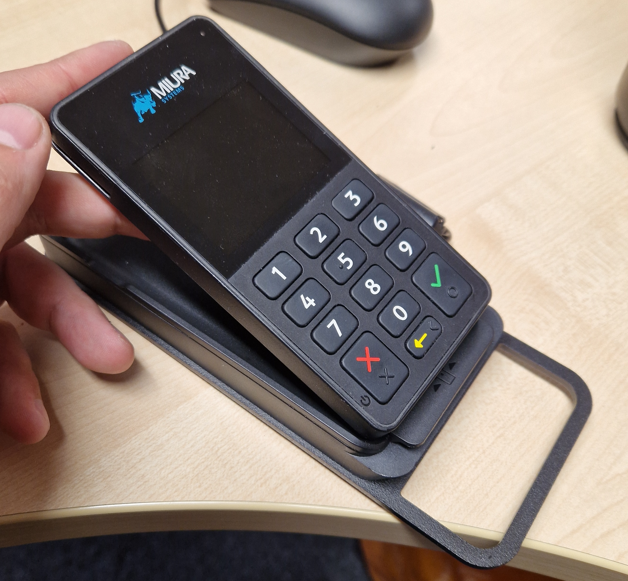
6. Confirm device is secured
Before you attempt to Revive a Miura Device, you must sign to say you have read all pages, and
understand. If you do not understand, do not sign and contact Support via email:
support@funstationuk.com
Was this article helpful?
That’s Great!
Thank you for your feedback
Sorry! We couldn't be helpful
Thank you for your feedback
Feedback sent
We appreciate your effort and will try to fix the article